Product Design
Simple Savings Calculator Feature
A simple simulation calculator that makes saving more appealing to users by allowing them calculate their potential savings based on changing live data.
Project Overview
The goal of this project is to design a simple simulation calculator that makes saving more appealing to users by allowing them to calculate their potential savings based on changing data. The calculator will cater to users who aren't very tech-savvy and need clear, concise information to understand the benefits of an interest-bearing savings account.
Research
User Interview: I interviewed three participant, because of the scope of the project. A middle aged woman of about 49 years, a young man who is 29 years, and a gen z guy who is about 20 years old.
Key Findings
They were all concerned about seeing how much they will have saved up by the end of the savings duration.
The users were concerned about simplicity and clarity of interacting with the calculator
Competitive Analysis
I analysed existing financial apps and savings calculators to identify best practices and common pitfalls.
Key Findings
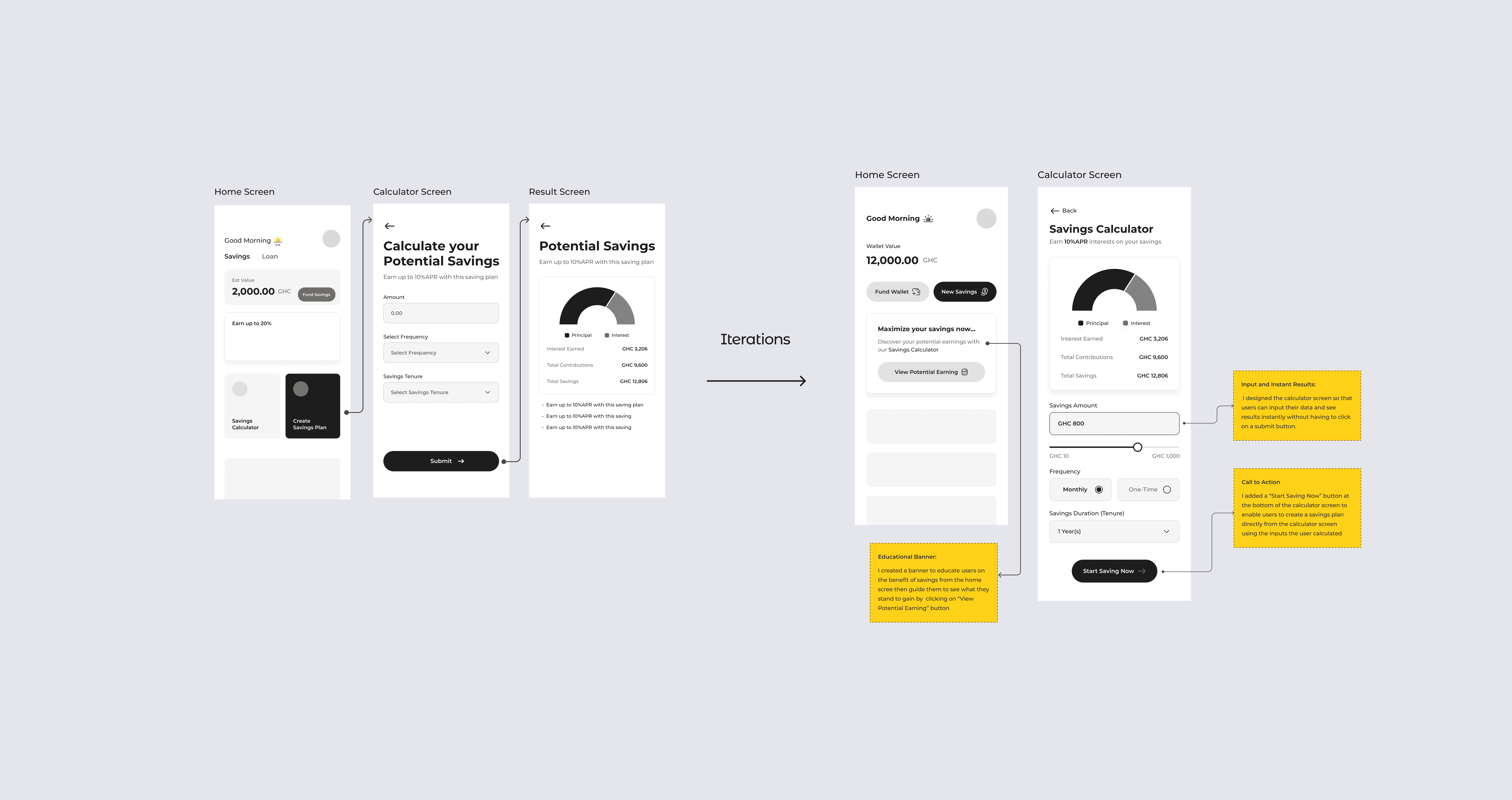
Call to Action: No call-to-action buttons within their calculators, encouraging users to start their savings plan immediately.
Clear Interest Calculation: Competitors prominently feature a clear and straightforward interest calculation, allowing users to easily understand how much they will earn over time.
Key Results
Key results Bidy
Role
Product Designer
Methods
Method Body
Hifidelity Design
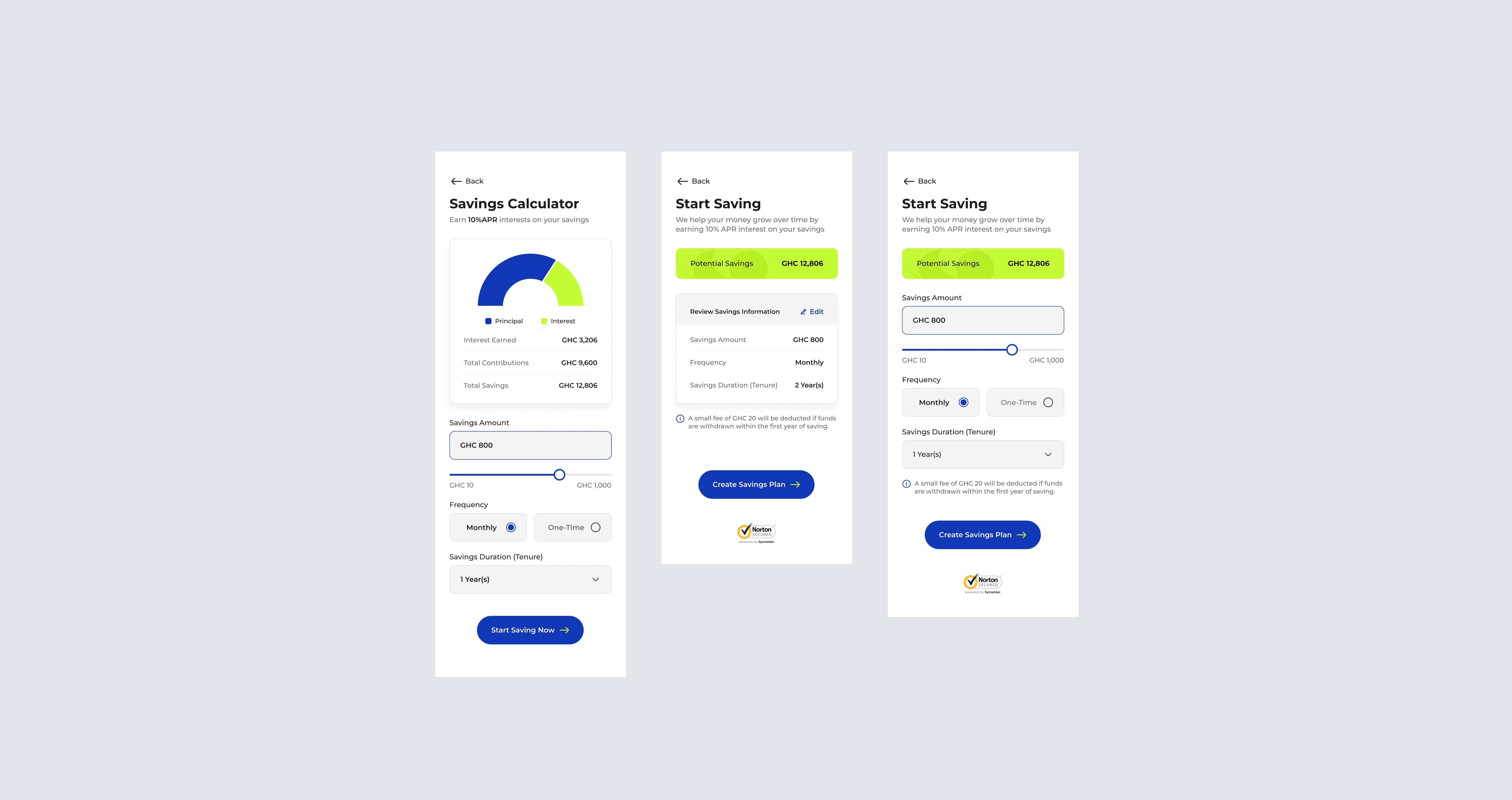
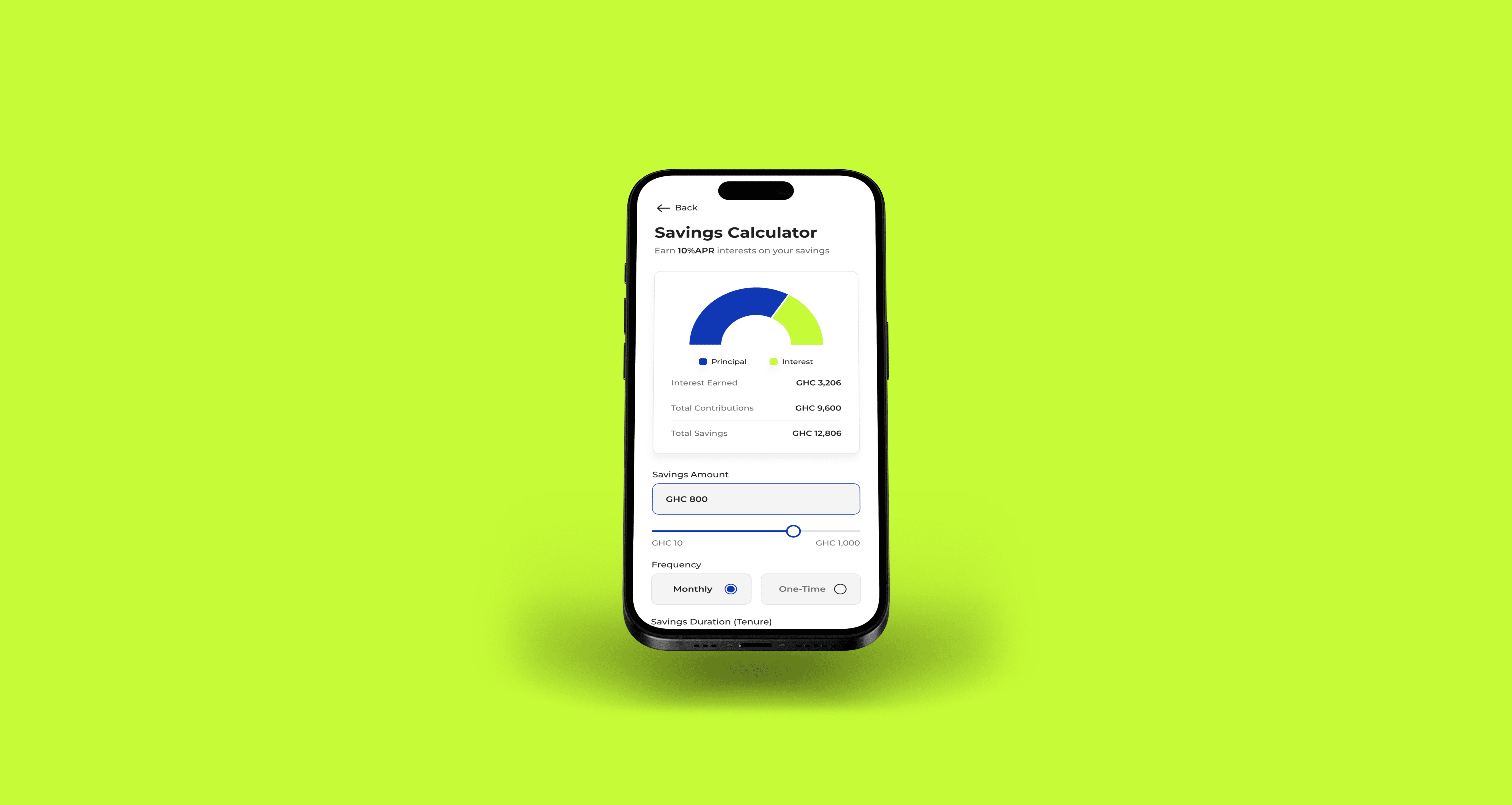
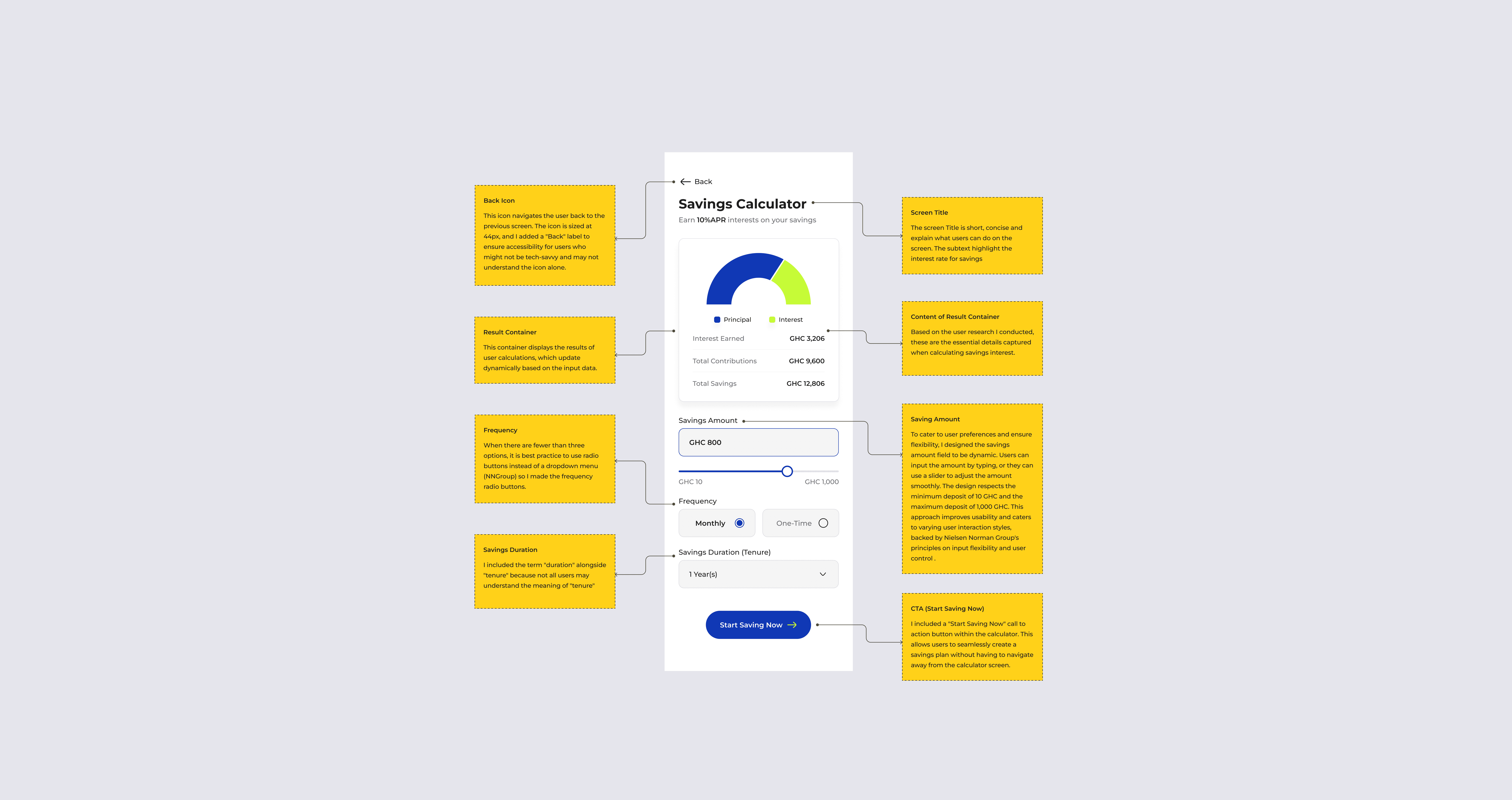
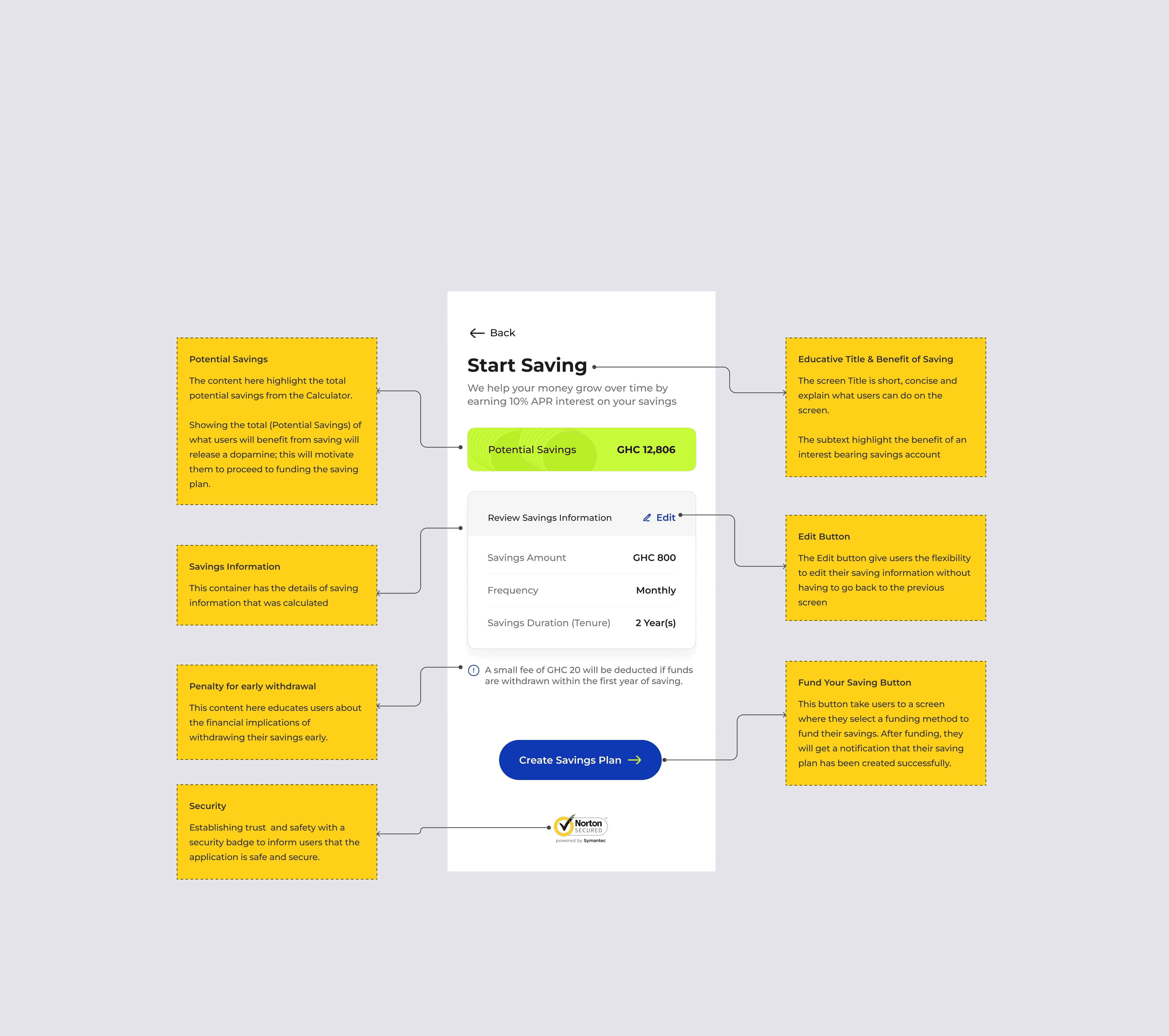
The focus was to create a simple layout with three main input fields: Savings Amount, Frequency, and Duration, that display a real-time result. The final UI design incorporated a clear hierarchy of elements, soft colors, readable typography, and an instant results display for better user engagement.

Justifying Design Decisions
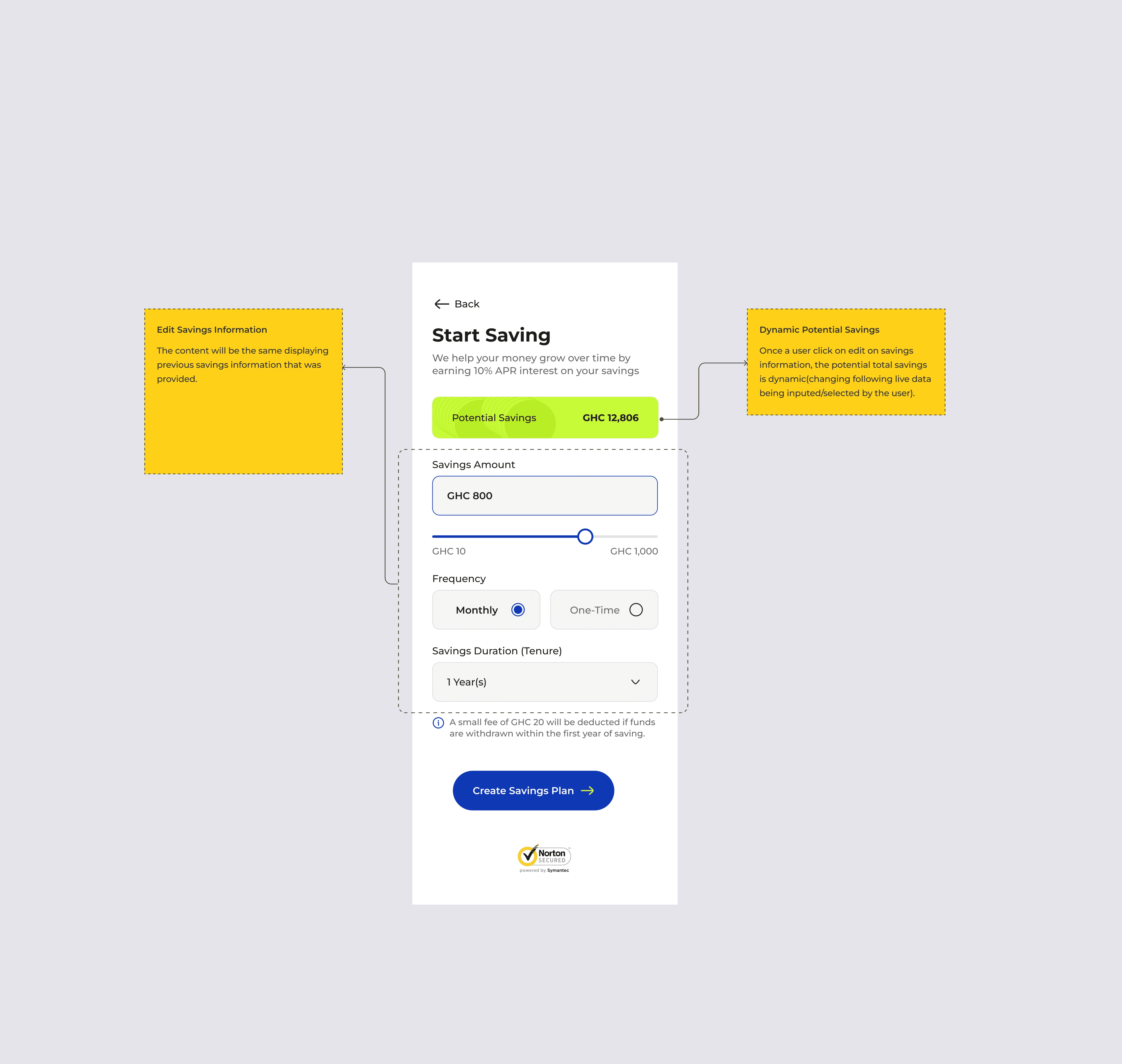
The design decisions were guided by user feedback and best UX practices to ensure a seamless experience. The real-time calculation feature was implemented to provide instant feedback and reduce user uncertainty.
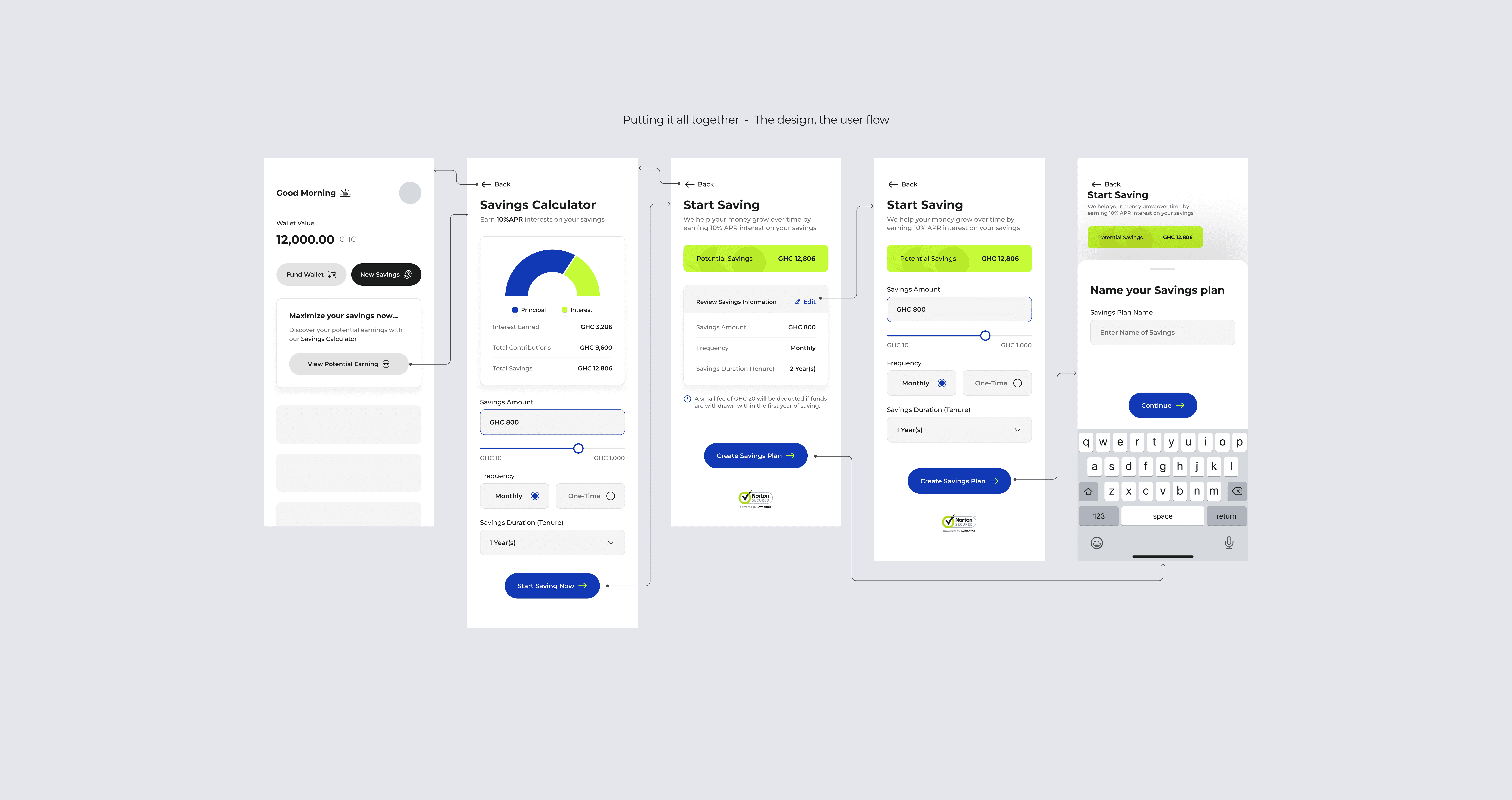
The User Interaction Flow
Body wash and a new bed of water and water in my house I was in a shower so I’m good with that too if you want it I would like you and your dad to be able with me today for the first week and I have been doing well in a while and then we will get the money 💵 we will get you a new card for the year old man
Accessibility
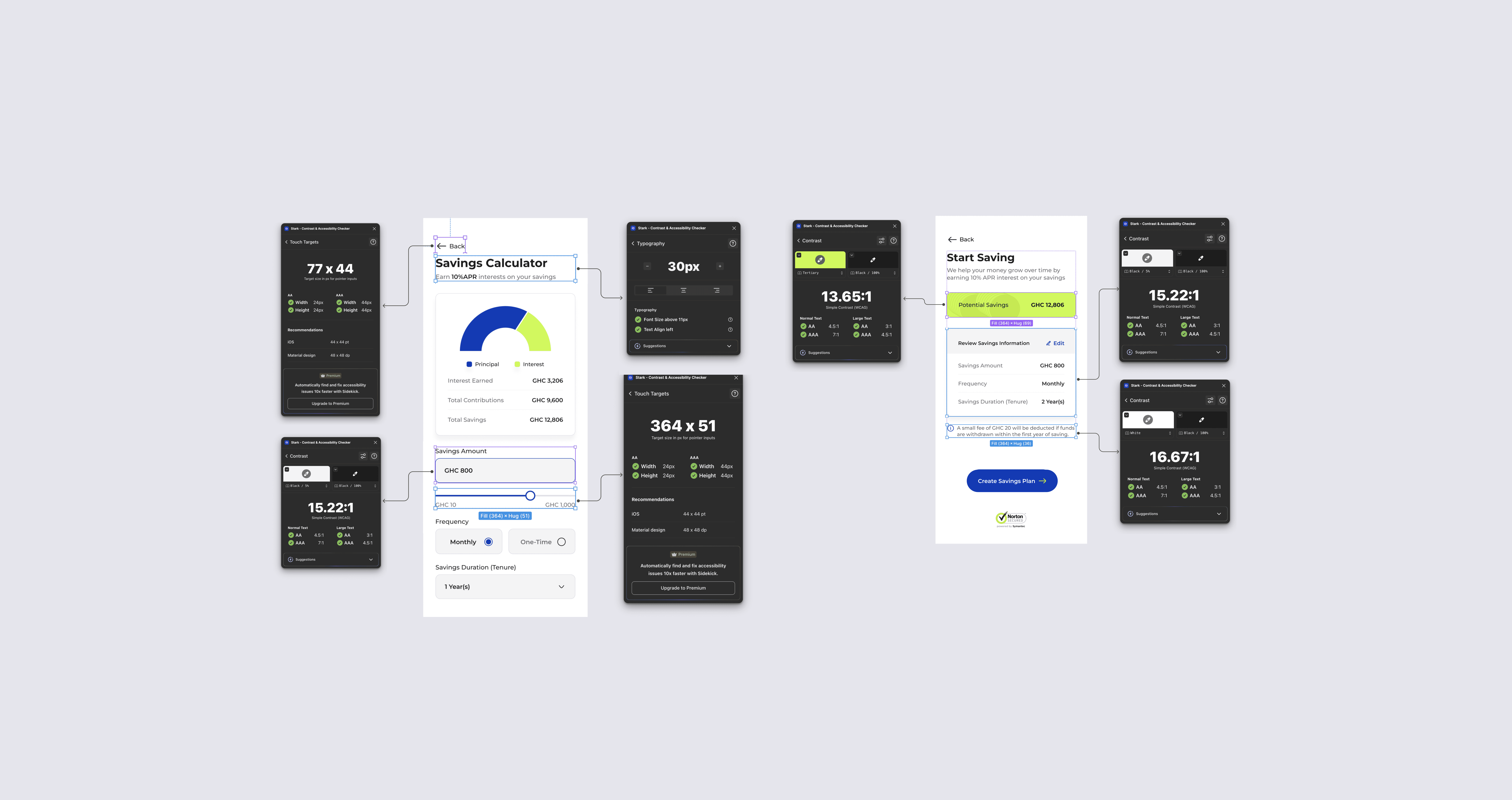
To ensure the design is accessible to all users, I tested for touch targets, contrast, and typography using an accessibility tool called Stark. This ensures compliance with accessibility standards and enhances the overall usability of the application.
Touch Targets: I Ensured that all touch targets (buttons, inputs) are at least 48x48 px to accommodate users with motor impairments.
Contrast: I checked color contrast ratios to make sure text is readable against background colors, aiming for a minimum contrast ratio of 4.5:1.
Typography: Used accessible fonts and ensured sufficient font sizes for readability, particularly for users with visual impairments.